
Automate your dropshipping business
Get fully automated dropshipping. Track listings, sync products, update prices, and manage your business effortlessly—all in one platform..
Your Data, Perfectly Organized
EasyDropSync uses a structured Google Spreadsheet as your central hub to update latest products on Google Spreadsheet, including eBay item IDs and Amazon ASINs, and it updates the status for those products.
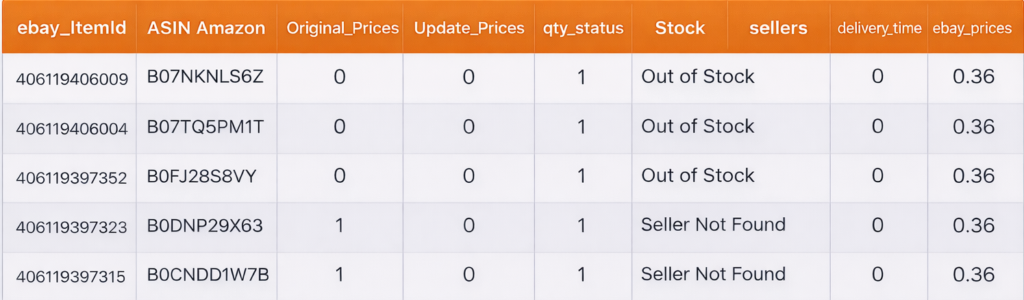
Ebay Item_id
The item id of your ebay product
ASIN Number
Asin number of Amazon item
Orignal Price
The price of your item
Update price
The new price of your item
Qty status
Flag for price updation
Stock
The quantity of the product
Seller
The item id of your ebay product
Delivery time
The item id of your ebay product
Delivery state
The item id of your ebay product
ebay_price
The price on ebay after profit
Four Powerful Tools, One Platform
From configuration to execution, EasyDropSync handles every step of your price monitoring and updating workflow.

Configure All the Settings
Save all product list settings securely in a Google Sheet by entering your Google Sheet ID, the corresponding sheet tab name, and your eBay store name. This setup enables accurate synchronization and streamlined management of your product data. Please note that the eBay store name can only be configured once; if you need to update it later, you will be required to contact Customer Support for assistance.for changeing purpose the user have to talk to customer support.
Monitor Price With Amazon
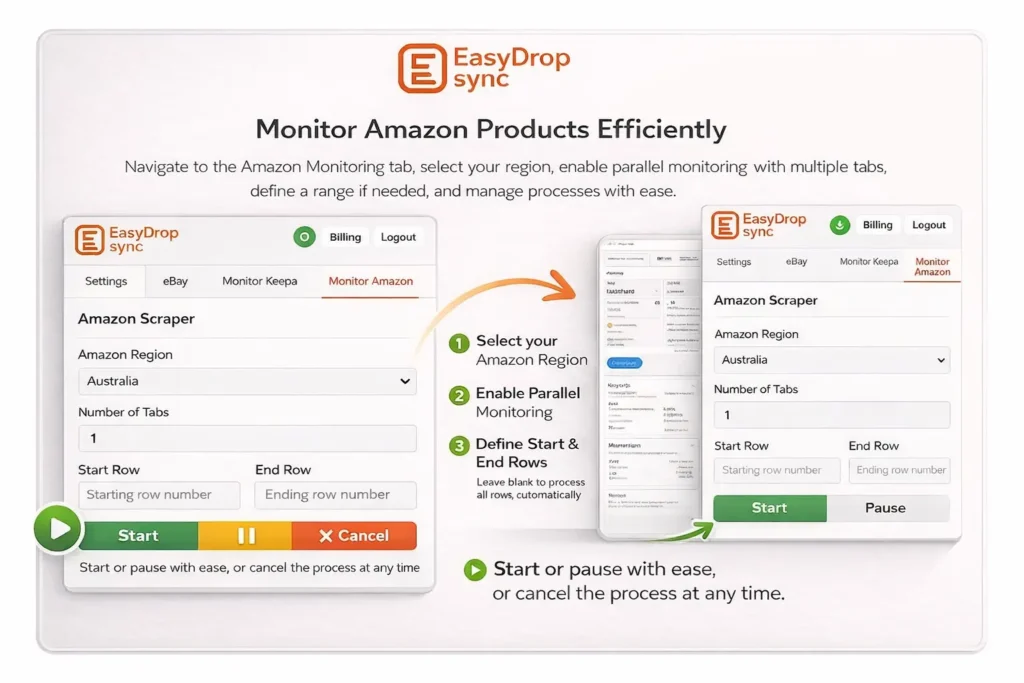
Go to the Amazon Monitoring tab and enter your details. The system will visit each Amazon product based on your configuration, using multiple tabs for faster processing. Select the region and set a starting and ending row (leave empty to include all). It will then check the latest Amazon prices and calculate the eBay price using your formula. After writing the prices, it will also calculate the eBay prices directly in the spreadsheet. In the spreadsheet, this extension will update the status to “1” for products whose values changed on Amazon. Start the process, and use pause/resume or cancel as needed.
Monitor Price With Keepa
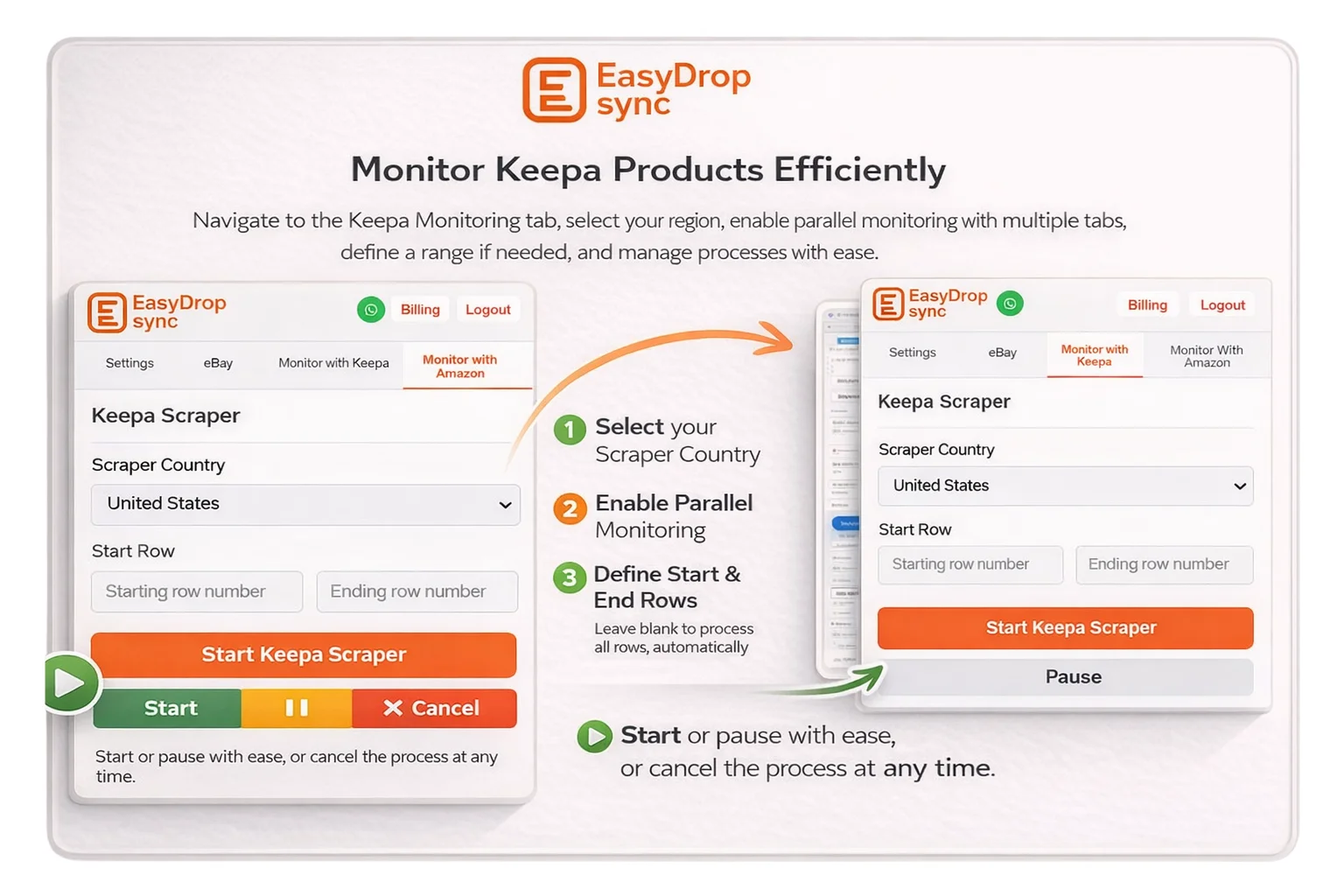
Navigate to the Keepa Monitoring tab and complete all the required settings. Select the appropriate region for monitoring, and take advantage of the multiple-tab option to monitor products in parallel for faster performance. You may also specify a starting and ending row; if these fields are left empty, the system will automatically consider all rows. Once everything is configured, start the process as needed. A pause option is available, allowing you to resume from where you left off, and a cancel option lets you stop the entire process at any time.
Update Price on Ebay Store
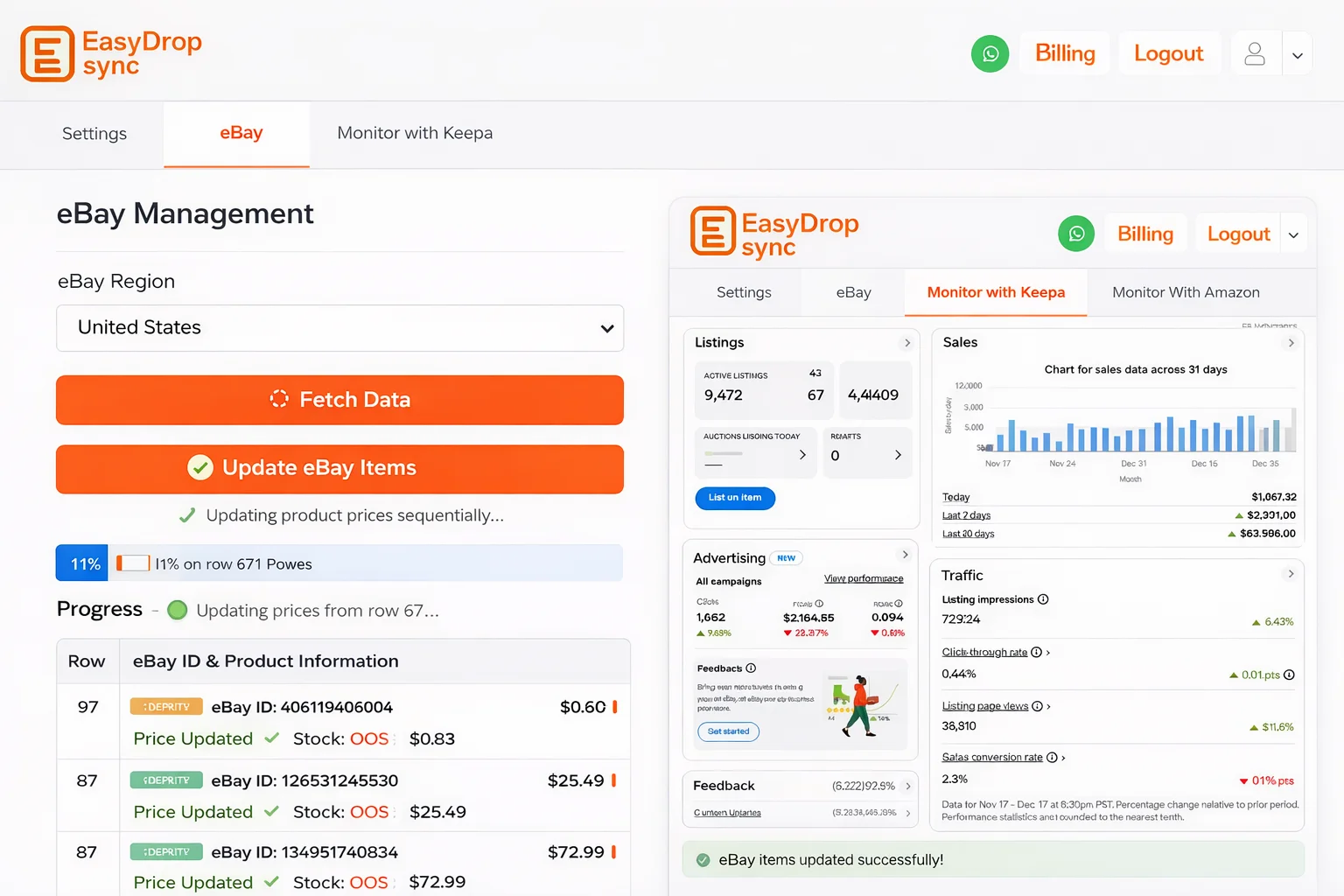
Navigate to the eBay tab and select the region of your choice. Use the Fetch Data functionality to allow the system to retrieve changeable listings from the connected Google Sheet. After fetching the data, enable the Update eBay items option to activate the price update functionality for your eBay store. Once enabled, the extension will update the latest product prices on your eBay account automatically, processing updates sequentially to ensure accurate and controlled updates across all listings.
Avoid Common Errors
Few things to consider While using this extension
Avoid Empty ASIN Cells
Ensure every row has a valid ASIN before running Amazon monitoring. Empty cells will cause the system to skip.
Don’t Modify Headers
The first row contains column headers that the extension relies on. Changing header names will break the synchronization.
Use Correct Names
The first row contains column headers that the extension relies on. Changing header names will break the synchronization.
Keep Formulas Intact
Some columns contain formulas for automatic calculations. Deleting these formulas will prevent automatic price computation.
Check Region Settings
Mismatched region settings between Amazon/Keepa monitoring and your product source can lead to incorrect pricing. So must be checked.
Single Task At A Time
Run one task at a time. Doing multiple tasks together may disrupt the extension’s sequence of checking Amazon prices and updating eBay.
Monitor Before Update
You must first run the extension to update prices in the spreadsheet, and only after that run the process to update prices on eBay.
Must Notice
Running Check Amazon Prices before updating eBay will reset prices and quantity status, effecting the items that need to be updated on eBay.
Sequence Matter
You must first monitor prices, then update on eBay. Avoid running monitoring again before updating, as it may reset the flags for items that need to be updated.
Still Having Issues?
Need quick help or facing an issue? Chat directly with our support team on WhatsApp.
Start Dropshipping Smarter Today
Join hundreds of successful dropshippers who trust EasyDropSync to automate their pricing and inventory management